


Baby Home Adventure Kids' Game
3.72.01K Reviews
App Specs
- Version
- 1.1.6
- Updated On
- License
- Free
- Downloads
- 5,000,000+
- Developer
- TabTale
- Categories
- Educational
- Platform
- Android
Screenshots
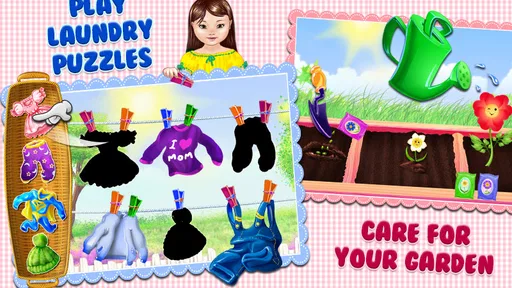
 Analysis by AppCompare
Baby Home Adventure is the kind of educational game I would hand to a young child who enjoys pretending to be helpful. It turns ordinary household routines into simple touch-based activities, so the appeal comes less from challenge and more from the feeling of taking part in a familiar home. After spending time with it, my main impression is clear: this is a gentle first game for children who need easy, reassuring interactions, but it is not a deep learning tool or a long-term substitute for more varied children’s games.
That distinction matters. The game’s best quality is its approachable design. A child does not need to understand complicated rules before starting, and the idea of helping around the house gives each activity an immediately understandable purpose. At the same time, the simplicity that makes it welcoming can also make it feel repetitive once the initial novelty fades. I see it as a short, supervised play option rather than a complete educational package.
How the household theme works in practice
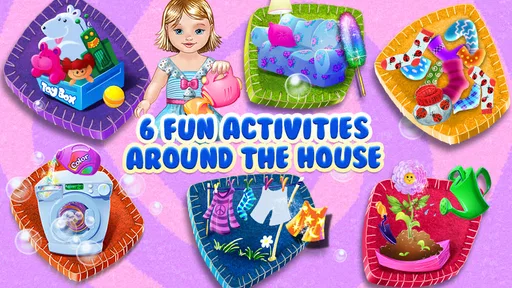
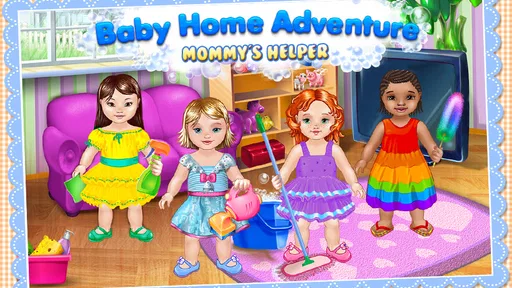
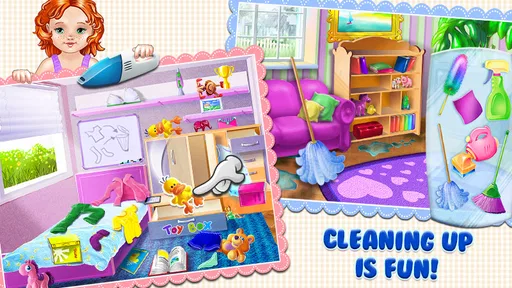
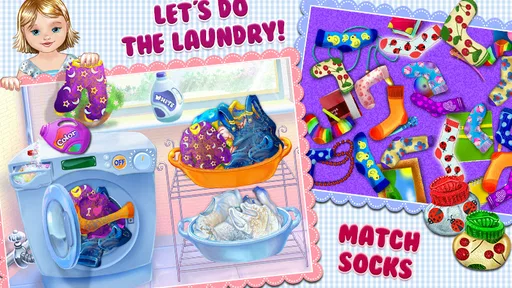
Developed by TabTale, this free educational game is built around the idea of a child exploring home-based tasks. The setting gives the experience a useful advantage over abstract puzzles: children can connect what they do on screen with things they may see adults doing every day. Tidying, organizing, and caring for a home are easier concepts to explain when the game presents them through a familiar environment instead of a worksheet.
When I use a game like this with a young player, I look first at whether the child can understand the goal without constant adult translation. Here, the home setting does much of that work. A parent can say, “This is like helping at home,” and the child already has a frame of reference. That makes it suitable for brief play before dinner, during a quiet afternoon, or while an adult is nearby handling a real household task.
The interactions are intentionally uncomplicated. That is a strength for children who are still becoming comfortable with tapping, dragging, and recognizing cause and effect on a touchscreen. It also means the game can serve as a low-pressure introduction to mobile play. Instead of demanding fast reactions or precise timing, it encourages the child to explore a scene and complete an obvious activity.
I would not describe the experience as academically demanding. Its educational value comes mainly from imitation, sequencing, attention, and the connection between play and everyday responsibility. Those are worthwhile foundations, but they are different from structured lessons in reading, mathematics, science, or language. Parents should choose it for playful routine-building, not because they expect a full curriculum.
A useful way to play together
The strongest results come when an adult treats the game as a conversation starter rather than a digital babysitter. If a child finishes a household activity, I would ask what they did first, what changed afterward, and whether there is a similar task they can safely try away from the screen. That small follow-up turns a passive tap-through session into a bridge between pretend play and real-world learning.
Worth Reading Before You Choose

EA SPORTS FC Mobile 26 Is a Bigger Football Game, but It Takes Time

Flipboard Shows What News Apps Must Do Beyond the Feed

Switching to Android Auto Means Rethinking Your Driving Routine

Google Calendar Makes a Crowded Week Easier to Manage

Ludo King Makes the Most of the Minutes Between Plans

Baby Panda World Brings Quick Play to Modern Phones, but Its Game Library Feels Busy
One realistic use case is a preschool-age child waiting while a parent prepares a meal. A short session can provide a calm activity, and afterward the parent might invite the child to match the game’s idea of helping with a safe job such as placing napkins on a table. The game does not replace that real interaction, but it can make the transition feel natural because the child has already been thinking about household participation.
Another useful approach is to let the child explain the scene instead of immediately correcting every action. Asking, “What do you think belongs here?” encourages observation and decision-making. If the child taps randomly, I would guide them with a question rather than taking over. The game is simple enough that this kind of shared play does not become a lesson with too many instructions.
There is also a practical trade-off here. Because the activities are designed to be accessible, an older child may complete them quickly and lose interest. A younger child may need help understanding what the screen is asking, especially during the first session. In other words, the same simplicity that supports early confidence can limit replay value for children who already handle mobile games comfortably.
What makes it more approachable than typical alternatives
Compared with educational games focused on alphabet drills, counting exercises, or timed puzzles, this one has a softer entry point. It does not begin with an obvious academic target, which may appeal to a child who resists anything that feels like homework. The household theme also gives parents a chance to connect screen activity with responsibilities without presenting chores as punishment.
Compared with open-ended digital dollhouses or pretend-play apps, the home setting feels more directed. A child is not simply wandering through a decorative room; the basic premise gives the play a purpose. That can help children who enjoy clear goals but are not ready for complex game rules.
The compromise is depth. A dedicated puzzle game may offer more variety and stronger problem-solving practice, while a creative sandbox may provide more freedom for storytelling. Baby Home Adventure sits between those options: it offers guided pretend play, but it does not appear designed to keep adding layers of challenge for experienced players.
For that reason, I would use it as one item in a small rotation. Pairing it with picture books, real household participation, drawing, and a more demanding educational game gives the child different kinds of stimulation. Relying on this title alone would make its limited scope much more noticeable.
Where the experience falls short
The main weakness is repetition. Once a child understands the pattern of selecting an activity and completing it, there may be less reason to return unless the child especially enjoys the home theme. I found that the game’s charm depends heavily on the player’s age and expectations. A first-time tablet user may see the simplicity as welcoming, while a child accustomed to richer games may call it boring.
Parents should also keep expectations realistic about learning outcomes. The game can encourage attention and help a child recognize familiar routines, but it does not automatically teach responsibility. A child may enjoy pretending to tidy a room without becoming more willing to tidy a real room. The transfer works best when an adult follows the digital activity with a small, safe, real-world task.
The free price makes trying it easy, but in-app purchases range from $0.99 to $5.99 per item. I would recommend checking the purchase settings before giving a child unsupervised access to the device. Even when a game is aimed at children, a parent should decide in advance whether optional purchases fit the family’s expectations. The title is free to start, but “free” does not necessarily mean every part of the experience is available without additional spending.
Another limitation is that the game’s age positioning is broad. It carries an Everyone content rating, which makes it suitable for a family audience, but that label does not tell me whether every child will find the controls equally comfortable. A toddler may need an adult beside them, while a kindergarten-age player may understand the basic flow quickly. I would judge readiness by the child’s ability to follow a simple visual prompt and use touch controls, not by the rating alone.
Device compatibility is worth checking as well. The current version is 1.1.6 and requires Android 7.0 or later. That is useful for families using a relatively recent Android device, but an older tablet may not meet the requirement. I would confirm the operating system before planning around the game, especially if the child uses a hand-me-down device.
The game’s age also affects how I view it. It was released on Aug 6, 2013, so I approach it as an established, straightforward children’s title rather than a modern showcase for the newest mobile design ideas. That is not automatically negative; older games can be easy to understand and less overwhelming. Still, parents looking for highly varied activities, contemporary presentation, or more sophisticated progression may prefer a newer alternative.
Small choices that improve the experience
I would begin with a short session rather than letting the child play until interest disappears. Ending after a successful activity can preserve the sense that the game is a pleasant routine instead of an endless source of stimulation. This is especially helpful when the child will soon need to switch to eating, bathing, or bedtime.
I would also avoid presenting it as a test. If the child makes an unexpected choice, asking them to describe what they are trying to do keeps the mood exploratory. The game works better as pretend play than as a performance measurement. That approach is particularly useful for children who become frustrated when adults correct them too quickly.
A third tip is to connect one screen activity to one real action, not a whole list of chores. For example, after playing, the child might put one toy away or carry a lightweight item to a safe place. Keeping the follow-up small makes the connection achievable and prevents the game from creating an unrealistic expectation that digital success should immediately produce household cooperation.
Finally, I would rotate the game with activities that challenge different skills. A story app can support listening, a physical game can encourage movement, and a puzzle can demand more sustained reasoning. This title is most useful when its household theme fills a specific role in that mix rather than being expected to cover every kind of learning.
Who should try it and who should skip it
I think it is a good fit for young children who enjoy copying adults, exploring familiar rooms, and completing simple tasks on a touchscreen. It is also a sensible option for parents who want a calm first educational game with a clear everyday theme. Children who are nervous about unfamiliar games may appreciate that the subject matter is easy to recognize.
It can work particularly well during shared play. A parent, older sibling, or caregiver can use the scenes to talk about order, cleanliness, and helping others without turning the moment into a lecture. The game gives the conversation a visual starting point, which is often easier for a child than a direct question about responsibility.
I would skip it if the child wants competitive play, complex puzzles, extensive customization, or a long progression system. It is also not the right choice for a parent searching for focused literacy or numeracy instruction. In those cases, a specialized educational app will provide clearer practice and more measurable goals.
Families who dislike in-app purchases should approach the free download carefully and set purchase controls before handing over the device. Families with older Android hardware should check compatibility because the game requires Android 7.0 or later. Those two practical checks can prevent the most common disappointments before the first session.
Its audience reach is substantial, with over 5 million installs, and it holds a 3.7 average from around 37 thousand ratings, alongside roughly 2 thousand written reviews. I read those figures as evidence that the concept has attracted a large audience, not as a guarantee that every child will enjoy it. The moderate average also fits my impression: the game has a clear appeal, but its simplicity and purchase structure will not suit everyone.
My verdict after using it
Baby Home Adventure succeeds because it makes household routines feel approachable on a screen. I like the familiar theme, the low-pressure interaction, and the opportunity to connect pretend play with a small real-world task. For a young child who is just becoming comfortable with mobile games, those qualities matter more than elaborate systems.
Its weaknesses are equally clear. The activities can lose their freshness, the educational scope is limited, and optional purchases mean parents should stay involved. Children who already expect deep variety will probably move on quickly. The game is best treated as a brief, friendly activity rather than a complete learning solution.
My recommendation is therefore specific: try it if you want a free, Everyone-rated game from TabTale that introduces household helping through simple play, and use it alongside conversation and real participation at home. I would not choose it as the only educational app on a child’s device, but I would keep it in a rotation for the right age group.
The real value is not in turning chores into a score; it is in giving a child a safe, familiar way to talk about helping. If that is the experience you want, this game is worth a look. If you need lasting challenge, structured academics, or extensive creative freedom, another category of children’s app will serve you better.
Pros
- Simple controls make it easy for young children to play independently.
- Bright visuals and friendly characters keep the experience engaging.
- Short activities suit children with limited attention spans.
- Offline play is useful when traveling or away from Wi-Fi.
- Gentle gameplay avoids stressful challenges and competitive pressure.
Cons
- Some activities may feel repetitive after extended play sessions.
- Limited depth may not satisfy older children or advanced players.
- Parents should check for ads or in-app purchases before handing over the device.
- Touch controls can be sensitive for very young children.
- The app may require considerable storage space on some devices.
FAQs for Baby Home Adventure Kids' Game
What is Baby Home Adventure Kids' Game about?
Baby Home Adventure Kids' Game is a child-friendly pretend-play experience centered on everyday activities at home. Children can explore different rooms, interact with objects, and take part in simple scenarios such as preparing food, playing, cleaning, and caring for characters. The open-ended design encourages imagination rather than focusing on difficult missions, strict rules, or competitive scoring, making it suitable for relaxed creative play.
Is Baby Home Adventure Kids' Game suitable for young children?
The game is designed with a colorful interface, simple interactions, and familiar home environments that are generally easy for children to understand. Younger players may be able to explore independently, although the appropriate age can depend on the child’s reading ability, attention span, and comfort with touch controls. Parents should review the store age rating and supervise initial play to confirm that the content matches their child.
Does Baby Home Adventure Kids' Game require an internet connection?
Many activities in Baby Home Adventure Kids' Game may be available after the application has been installed, allowing children to play without continuously connecting to the internet. However, an internet connection can still be required for the first download, updates, advertisements, account-related features, or optional purchases. Availability may vary by device and version, so it is best to test the game in offline mode before relying on it during travel.
Are there advertisements or in-app purchases in the game?
The presence of advertisements and optional purchases can depend on the version downloaded, the operating system, and the developer’s current monetization settings. Parents should check the official Google Play or App Store listing before installing, especially if the device is used by a child. To avoid accidental purchases, enable parental controls, require authentication for payments, and explain that some locked items may not be necessary for enjoyable gameplay.
Is Baby Home Adventure Kids' Game educational or safe for children?
The game is primarily intended for imaginative entertainment, but its everyday scenarios can also support basic skills such as recognizing objects, following simple routines, practicing role-play, and developing hand-eye coordination. It should not be considered a formal educational tool. Parents should still check privacy information, permissions, advertising behavior, and external links, then play together occasionally to understand how the app behaves on their specific device.


